Conky widget · Lua + Cairo
A scalable weather widget that
looks like glass,
because it's drawn like one.
No PNGs, no compositor tricks for the panel — just gradients, a specular highlight and a dark vignette, rendered once and cached. Live weather from OpenWeatherMap, a clock underneath, and it resizes by changing two numbers.
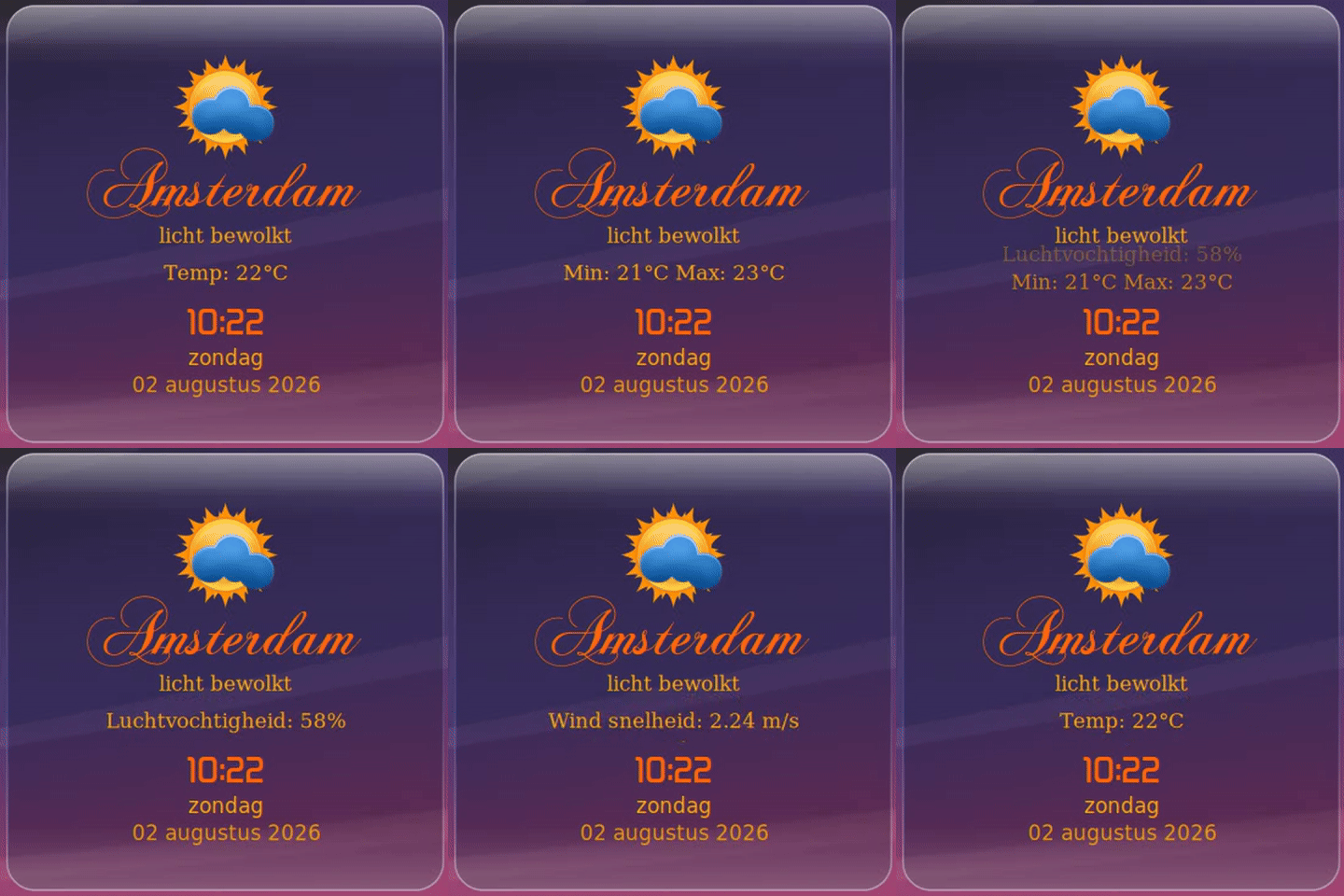
What it does
Built from gradients, not assets
Every part of the panel — the base tint, the sheen, the highlight, the shadow, the rim — is a Cairo gradient computed once and cached to an offscreen surface, not redrawn on every tick.
Glass panel
Translucent base tint, a diagonal sheen, a specular highlight with a soft ambient bloom, a dark vignette in the opposite corner, and rim lighting — all following one light direction.
Live weather
Description, temperature, min/max, humidity and wind speed from OpenWeatherMap, cycling automatically with a flip-down animation.
12 icon sets
Six dark, six light: dovora, modern, monochrome, openweathermap, SagiSan, spils-icons and vclouds.
Clock, day, date
A simple digital readout underneath the weather, styled to match the rest of the panel.
Scales cleanly
Change minimum_width/minimum_height in conky.conf — panel, icon, text and border resize together. Nothing else to touch.
Never blocks
The weather fetch runs as a detached background process, checked on its own interval instead of on every draw — your desktop stays responsive.
Get it running
Installation
Needs Conky built with Lua + Cairo support, plus lua, curl, jq, wget, the ChopinScript and DejaVu Serif fonts, and a free OpenWeatherMap API key.
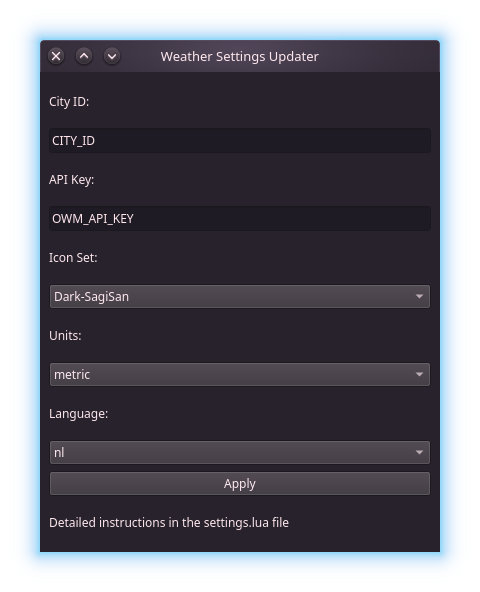
settings.lua? ./WeatherSettingsUpdater covers city, API key, icon set, units and language.Set your CITY_ID in settings.lua first — find it on openweathermap.org (the number at the end of your city's URL), or set it through the bundled WeatherSettingsUpdater GUI. Use autostart.sh if you want the widget launched automatically at login.
Make it yours
Configuration
Everything lives in settings.lua.
| Setting | What it does | Default |
|---|---|---|
| ICON_SET | Icon style, e.g. Dark-SagiSan, Light-vclouds | Dark-SagiSan |
| DAY_NIGHT | Show night icons after sunset | false |
| API_KEY | OpenWeatherMap API key | reads $OWM_API_KEY |
| CITY_ID | OpenWeatherMap city ID | — |
| UNITS | metric (°C) or imperial (°F) | metric |
| LANG | en, nl, fr, es, de, ... | nl |
| BORDER_WIDTH | Glass rim thickness, in px | 1 |
To resize the whole widget, change minimum_width/minimum_height in conky.conf (keep them equal for a square panel).
Under the hood
How it's built
get_weather.sh fetches both current conditions and a 5-day/3-hour forecast into resources/cache/. The current-conditions view is live today; the forecast data is already being cached for a future forecast view.